| Optical SETI Map | Conferences Map | Illustrations Map | Photo Galleries Map | Observations Map | Constructing Map |

|
|
AXIS 240 Camera Server Help Page
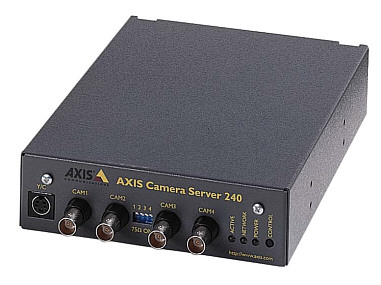
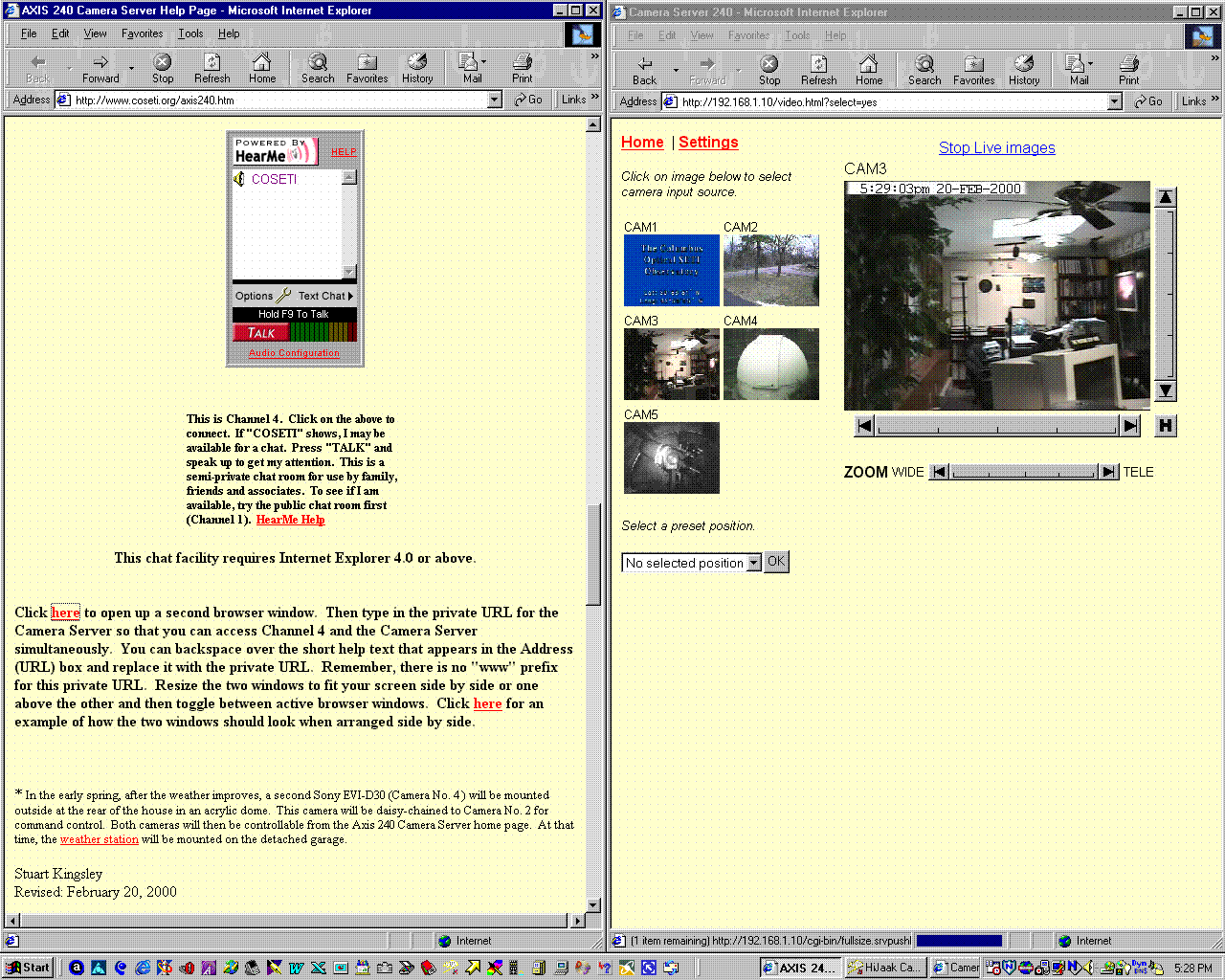
At regular intervals during certain hours, the Axis 240 Camera Server uploads jpg images from various video sources to the COSETI WebCams page on this Web site. This help page is for family, friends and associates who have been given the direct, private URL for the Axis 240 Camera Server. This allows them to view and control some of the cameras and video sources at any time, day or night. The upper part of this page is a reproduction of the camera server's home page.
 Server push | Java image feed | Refresh image feed | Multiple refresh image feed | Snapshots Settings | CRON | Pan/Tilt Control | Pan/Tilt Java Control | Image Buffer | Documentation General InformationThese pages reside within your AXIS 240. For the most recent information, visit Axis Communications . (Note: links marked with '' will take you to Axis web
site, all other links are functional even if you don't have Internet
access.) . (Note: links marked with '' will take you to Axis web
site, all other links are functional even if you don't have Internet
access.)
Your current software version is 1.13 (Oct 6, 1999) Tech-Support@axis.com
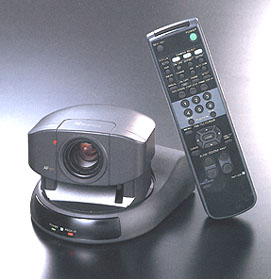
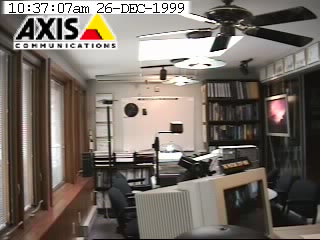
Instructions for Use The above is an edited copy of the index page of the Axis 240 Camera Server that will be displayed with when you access the server directly via its private IP address. Remember, this address is placed in the URL box of your browser. It is NOT preceded by "www". Because the camera server is accessed over Road Runner Cable Modem Service and IP address translation takes place on a special server, there may be a significant delay in accessing the camera server for the first time in a session, so please be patient. For Camera No. 3 (Sony EVI-D30), you are recommended to select the "Pan/Tilt Control" or the "Pan/Tilt Java Control" menu items. Because of the latency over the Internet, it may be as much as ten seconds before you see the result of a change in camera angle or zoom level. So avoid issuing too many commands to the camera before it has had time to react and you have observed the result of each command or mouse click. If you click on an object in the larger central image, Camera No. 3 (and Camera No. 4 at a later date)* will move and approximately center on the selected object, if it is within the range of the Pan/Tilt control. By zooming out to the widest view and clicking on a object at an extreme of the image in succession, one can slowly pan and/or tilt the camera across its entire range. This is perhaps the best way to step the camera across the room, waiting for one or two refreshes of the image before clicking again. Do NOT click on the Pan, Tilt or Zoom arrows unless you require the camera to go to the extreme of its respective range. Rather than provide fine control, these arrows drive the camera to its stops. Clicking slightly above or below the graduated center of the Tilt Control, or slightly to the left or right of center of the Pan and Zoom Controls, will provide fine adjustment. This smart camera automatically makes adjustments to the Pan/Tilt Control sensitivity on the basis of the selected Zoom level. In other words, at high magnifications, the graduated Pan and Tilt Controls are desensitized. There are 10 preset positions and zoom levels for the camera that are selectable from the drop down menu in the left frame. These positions are described further down the page. These preset positions are very useful, particularly when there is significant Internet latency. The home button "H", available only from the Pan/Tilt menu page, points the camera towards the Command Position.
The motors on the camera are very quiet, so even if I am sitting in front of my main PC, I may not hear the camera move. If Camera No. 3 screen is black, then the camera is temporarily in privacy mode. Family, friends and associates who wish to talk while observing these video signals may call me at: 614-258-7402. Please announce yourself as I use my answering machine to screen incoming calls. Of course, you will need separate voice and data lines conveniently located nearby your PC to properly avail yourself of this facility. Alternatively, if you spy me in the office and don't have a second line or want to use the phone, you can email me at contact info to get my attention (or try ICQ 19951765). Try the HearMe chat room below or on the home page to get my attention and for voice communications over the Internet. The HearMe Help link below opens up a second window. These cameras tell you nothing about life elsewhere in the universe, but do tell you if there is intelligent life in Bexley! Again, if you should see any suspicious activity, please call the Bexley Police at: (614) 239-8881. Direct them to 545 Northview Drive! The URL of this page is www.coseti.org/axis240.htm. You may click on the following private URL hyperlink to open up a second copy of your browser. Then enter the Axis 240's private home page address which you will have been given. This present browser window can then be used as a help page for navigating the camera server. Alternatively, just print out a hard-copy of this page to use as a crib sheet. If more than one user accesses the camera server simultaneously, each user may get the impression that the camera is behaving erratically. The camera server has no way of differentiating or prioritizing the source of the IP packets through the WebRamp firewall. Since the number of people that are aware of the camera server IP address is small, the probability of that happening is low. That said, this scenario did indeed occur on the first day that the new Sony camera was put to good use over the Internet. This was during the evening of Xmas Day (1999), when a friend in London, England, was trying to control the camera at the same time that I was speaking on the phone to my sister in another part of London, where she was trying to control the camera too. At the same time, I was battling to override the camera view with my local infrared remote control. This was my Electronic Christmas - it was fun!
Notice:
This chat facility requires Internet Explorer 4.0/Netscape 4.0 or above.
* In the early spring, after the weather improves, a second Sony EVI-D30 (Camera No. 4 ) will be mounted outside at the rear of the house in an acrylic dome. This camera will be daisy-chained to Camera No. 2 for command control. Both cameras will then be controllable from the Axis 240 Camera Server home page. At that time, the weather station will be mounted on the detached garage. Stuart Kingsley
Description of Menu Items Server push: Java image feed: Refresh image feed: Multiple refresh image feed: Snapshots: Settings: CRON: Pan/Tilt Control: Pan/Tilt Java Control: Image Buffer: Documentation:
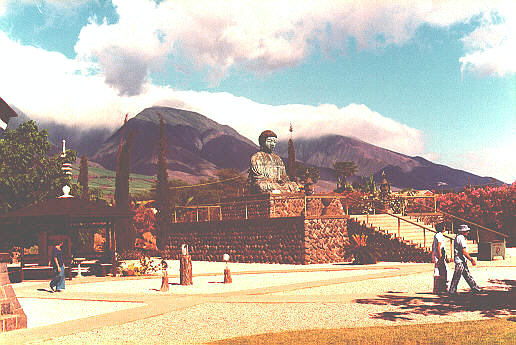
Preset Positions for Camera No. 3 (Conference/Control Room) H: Stuart's Command Position 1: View of Conference/Control Room and Office (default) 2: White Board (look for posted messages) 3: Stuart's Command Position 4: Wall Displays (Rank Prize Certificate, Hornsey Journal Article, and Arthur C. Clarke 5: USS Enterprise NCC 1701-D (signed, Patrick Stewart) 6: Explorers' Dawn (signed, Buzz Aldrin) 8: Dolphin Dream by Andrew Annenberg 10: Lahaina (Maui) by Christian Riese Lassen
Preset Positions for Camera No. 4 (Dome View & Backyard) H: NA 1: Dome View (default) 2: NA 3: NA 4: NA 5: NA 6: NA 7: NA 8: NA 9: NA 10: NA
Weather at The COSETI Observatory
| |||||||||